 WiseBoard
Give students a companion to care for
Students can adopt an available owl, name it and use the care actions shown in Arcade.
Student engagement
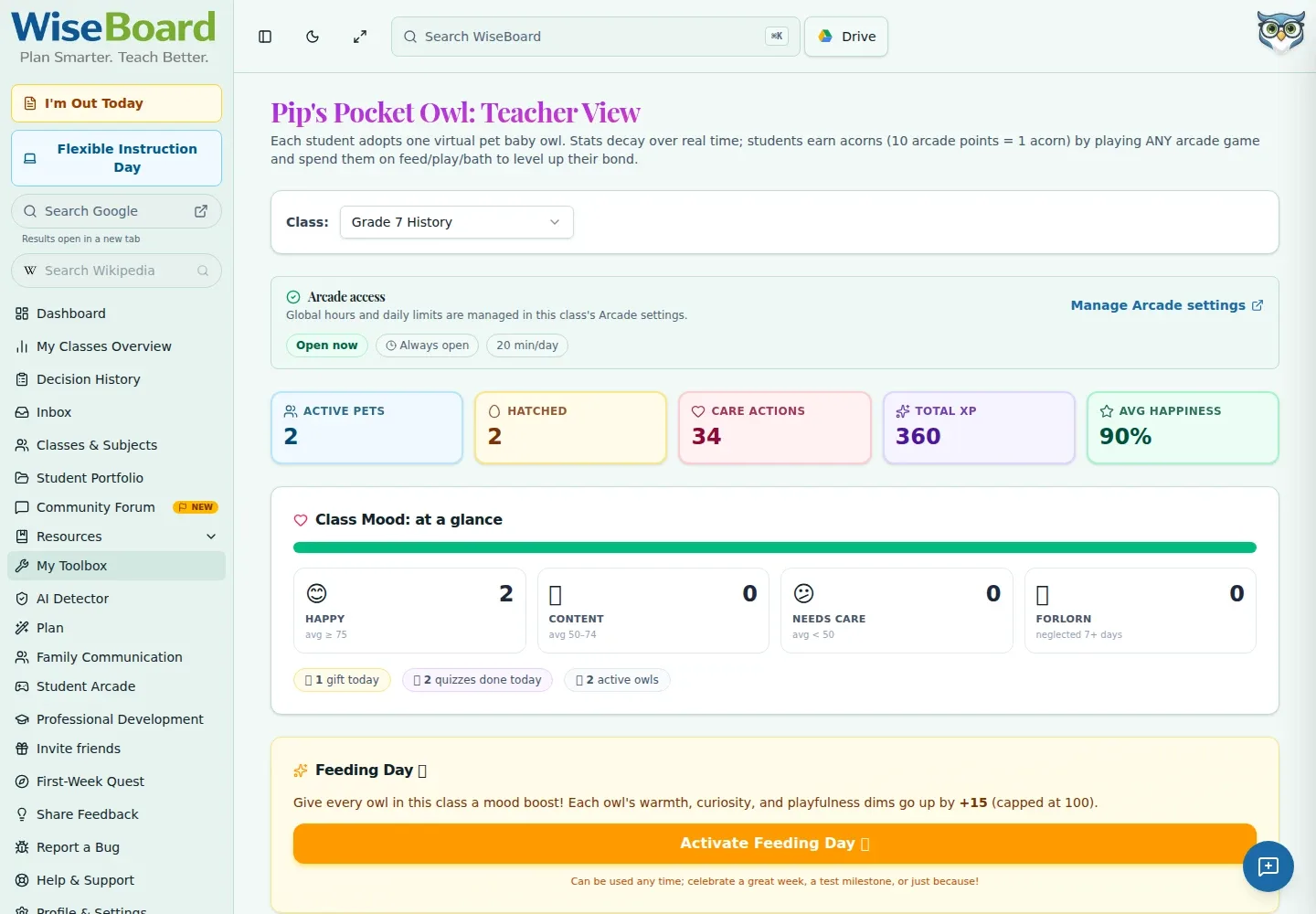
Pip's Pocket Owl is a student Arcade companion where students adopt an owl and see its saved growth. Teachers have a separate overview of activity and progress, not an academic mastery report.
See the workspace before you sign in.
01 / THE DIFFERENCE
Practical tools that leave the decisions with you.
Students can adopt an available owl, name it and use the care actions shown in Arcade.
Open the teacher page to see the available activity and progress overview.
Owl growth is companion progress, not proof of academic mastery or a flashcard score.
02 / IN PRACTICE
A closer look at how this fits into your day.
Explore the interactive app demoGo to /tools/pocket-owl and review the available activity and progress.
Students sign in to their separate Arcade session and open Pocket Owl.
Students use the care actions and view saved growth, respecting any action limits or retry messages.
WHAT THIS COULD LOOK LIKE
During a transition, let students who have Arcade access check their owl's saved progress and use the care action offered to them. Review the teacher overview separately, and do not interpret companion growth as evidence of academic learning.
GOOD TO KNOW
A little more detail before you dive in.
No. It is an Arcade companion experience with a separate teacher overview of activity and progress. Owl progress is not proof of academic mastery.
Students use the separate Arcade page at /arcade/pocket-owl. Teachers can open the overview at /tools/pocket-owl.
YOUR WORKSPACE AWAITS
Explore WiseBoard on your own terms. Take a look around, or start your free trial.