 WiseBoard
Update the details tools rely on
Maintain your location, school, subjects and teaching profile as your assignment changes.
Set up your workspace
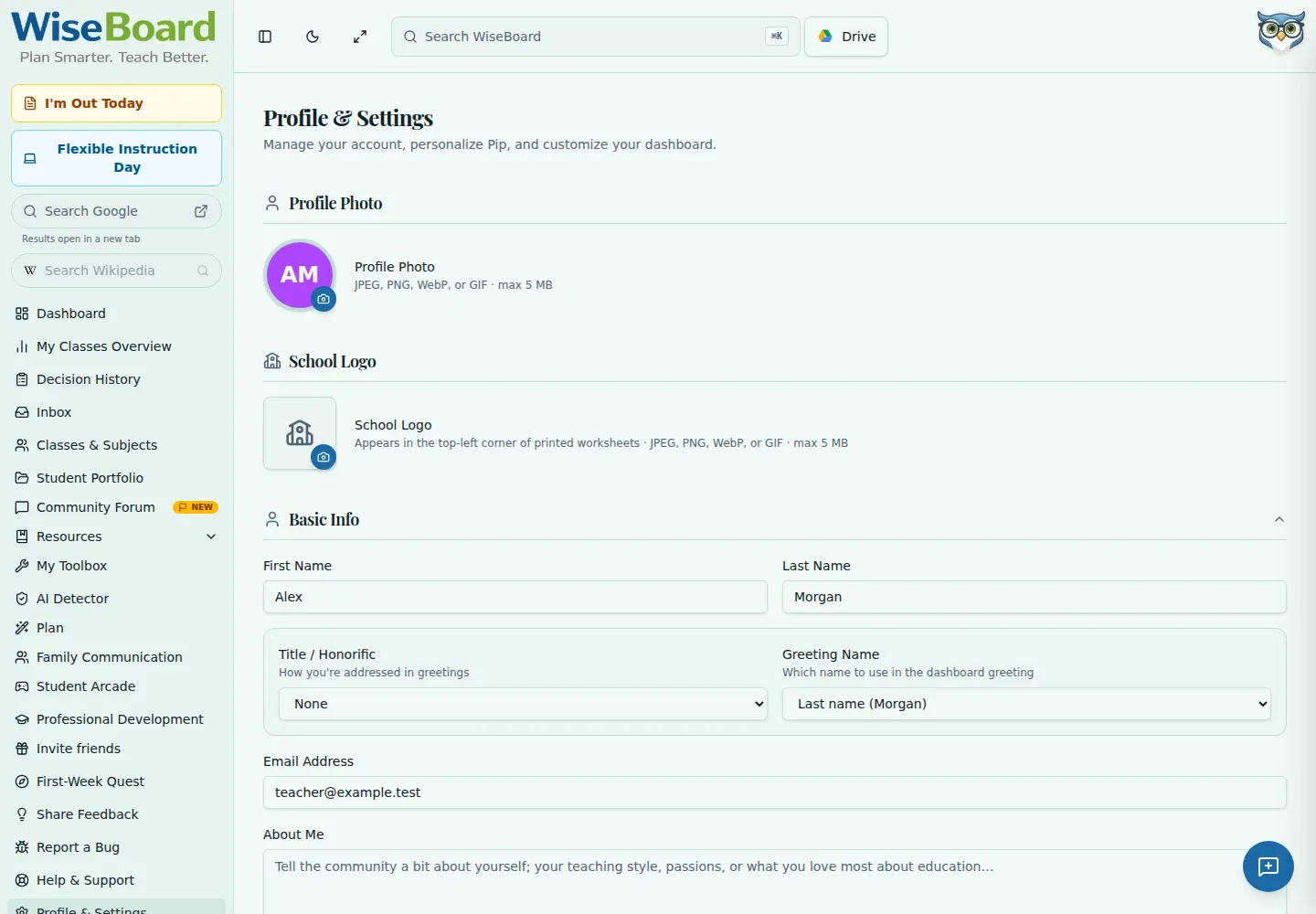
WiseBoard tools may use details such as your grades, subjects, school level and standards preferences. Settings is where you maintain that teaching context along with your account preferences and optional profile or school images.
See the workspace before you sign in.
01 / THE DIFFERENCE
Practical tools that leave the decisions with you.
Maintain your location, school, subjects and teaching profile as your assignment changes.
Record grade levels, school level, classroom structure, experience and standards preferences.
Use the relevant Settings section for basic information, profile image or school logo.
02 / IN PRACTICE
A closer look at how this fits into your day.
Explore the interactive app demoUse Settings for teaching preferences. My Profile is a separate community profile editor.
Update Basic Info, Location & Experience, School and Teaching Profile as needed.
Use the visible save control for the section you edited, then check that your information is current.
WHAT THIS COULD LOOK LIKE
Update the subjects and grades you teach, then review your school level and standards preferences. Save each section so tools that use your teaching context have the latest information.
GOOD TO KNOW
A little more detail before you dive in.
No. Settings maintains teaching preferences and account context. My Profile at /profile is a separate community profile editor.
Use the school image section in Settings. The profile photo has its own Settings section.
YOUR WORKSPACE AWAITS
Explore WiseBoard on your own terms. Take a look around, or start your free trial.