 WiseBoard
Set the reporting context
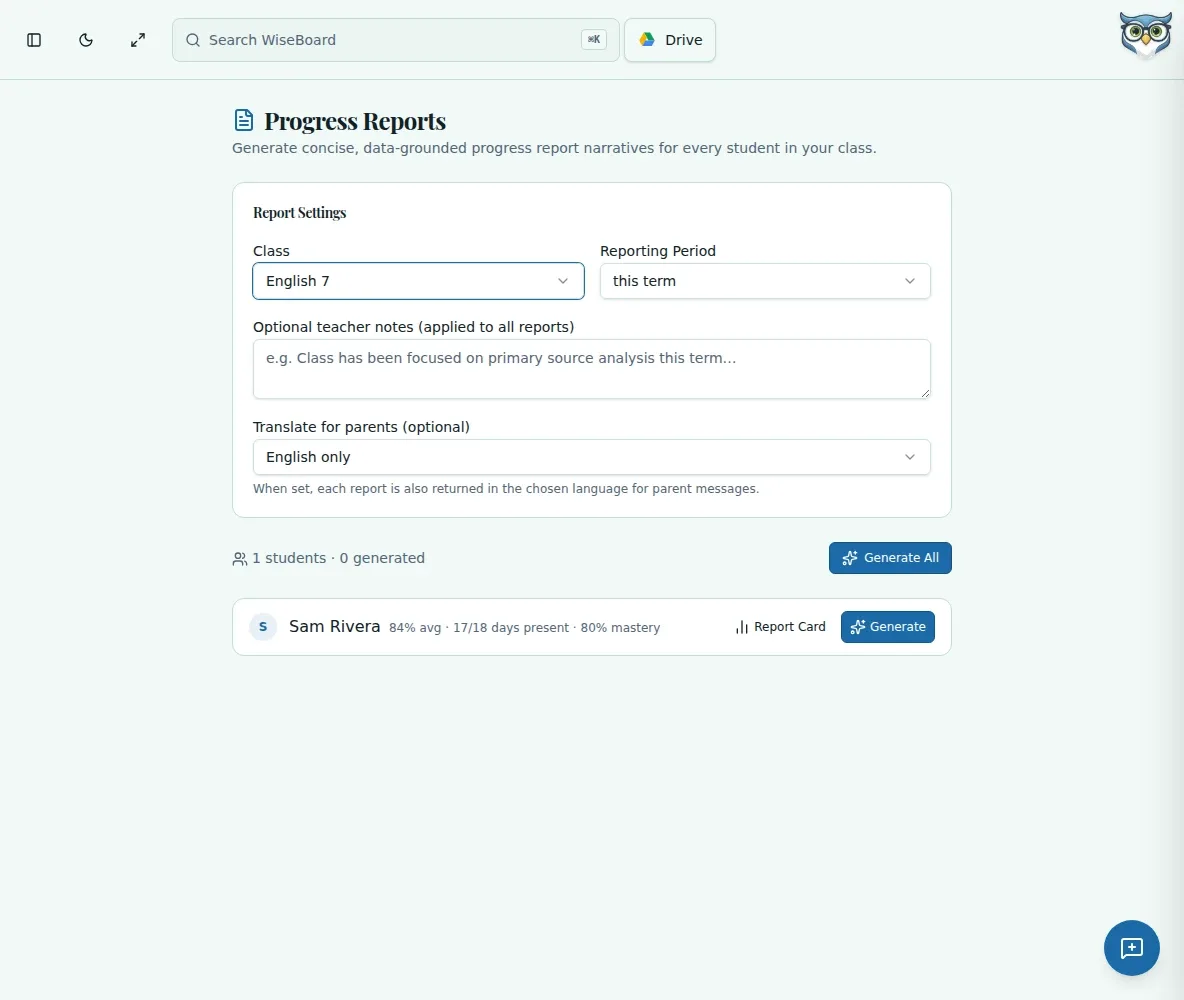
Choose the class, reporting period and language before generating content.
Assessment and reporting
Progress reports call for a clear account of where students are now. Prepare report content by class and reporting period, then review and edit each draft before it leaves your workspace.
See the workspace before you sign in.
01 / THE DIFFERENCE
Practical tools that leave the decisions with you.
Choose the class, reporting period and language before generating content.
Generate one report or use Generate All, then review and edit each English report and translation.
Print when appropriate; printing is separate from sending anything to families.
02 / IN PRACTICE
A closer look at how this fits into your day.
Explore the interactive app demoSelect the class, reporting period and language on the Progress Reports page.
Generate the report or set, then read and edit every report and any translated text.
Use Print for a reviewed report. Drafts auto-save locally in this browser.
WHAT THIS COULD LOOK LIKE
Choose a class and the current reporting period, generate the reports, and check each student's progress against your own records. Edit the wording to reflect the evidence, then print the reviewed reports for your school's next step.
GOOD TO KNOW
A little more detail before you dive in.
No. Printing is separate from sending. Use your school's approved process to distribute reviewed reports.
Drafts auto-save locally in the current browser. They are not a substitute for your school's system of record.
YOUR WORKSPACE AWAITS
Explore WiseBoard on your own terms. Take a look around, or start your free trial.