 WiseBoard
Set the intended context
Choose parent communication, student-facing text or general/formal so the draft has a clear purpose.
Family communication
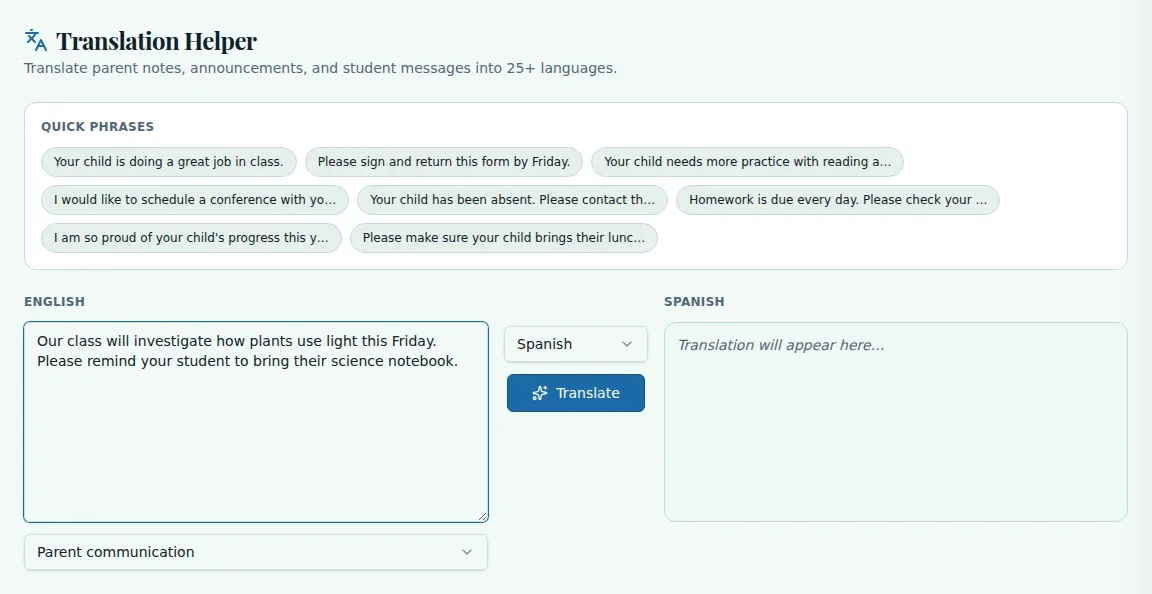
When a family message needs another language, begin with clear English and choose the context that fits. WiseBoard drafts an English-to-target-language translation for you to review before you use it.
See the workspace before you sign in.
01 / THE DIFFERENCE
Practical tools that leave the decisions with you.
Choose parent communication, student-facing text or general/formal so the draft has a clear purpose.
Check names, dates, tone and important details in the translated result.
Copy the reviewed translation into your email, document or family communication.
02 / IN PRACTICE
A closer look at how this fits into your day.
Explore the interactive app demoPaste your text or choose an available quick phrase.
Select the target language and the communication context, then choose Translate.
Check the translation and copy it into your own communication channel.
WHAT THIS COULD LOOK LIKE
Write the departure time, what students should bring and the response deadline in English. Choose the target language and parent communication context, then verify each logistical detail in the draft before copying it into your message.
GOOD TO KNOW
A little more detail before you dive in.
The source language is fixed to English. Choose a target language for the English text you provide.
No. It provides a draft for review, not a replacement for required district translation or interpreter services. Have a native speaker verify critical details when appropriate.
YOUR WORKSPACE AWAITS
Explore WiseBoard on your own terms. Take a look around, or start your free trial.