 WiseBoard
Bring the term into context
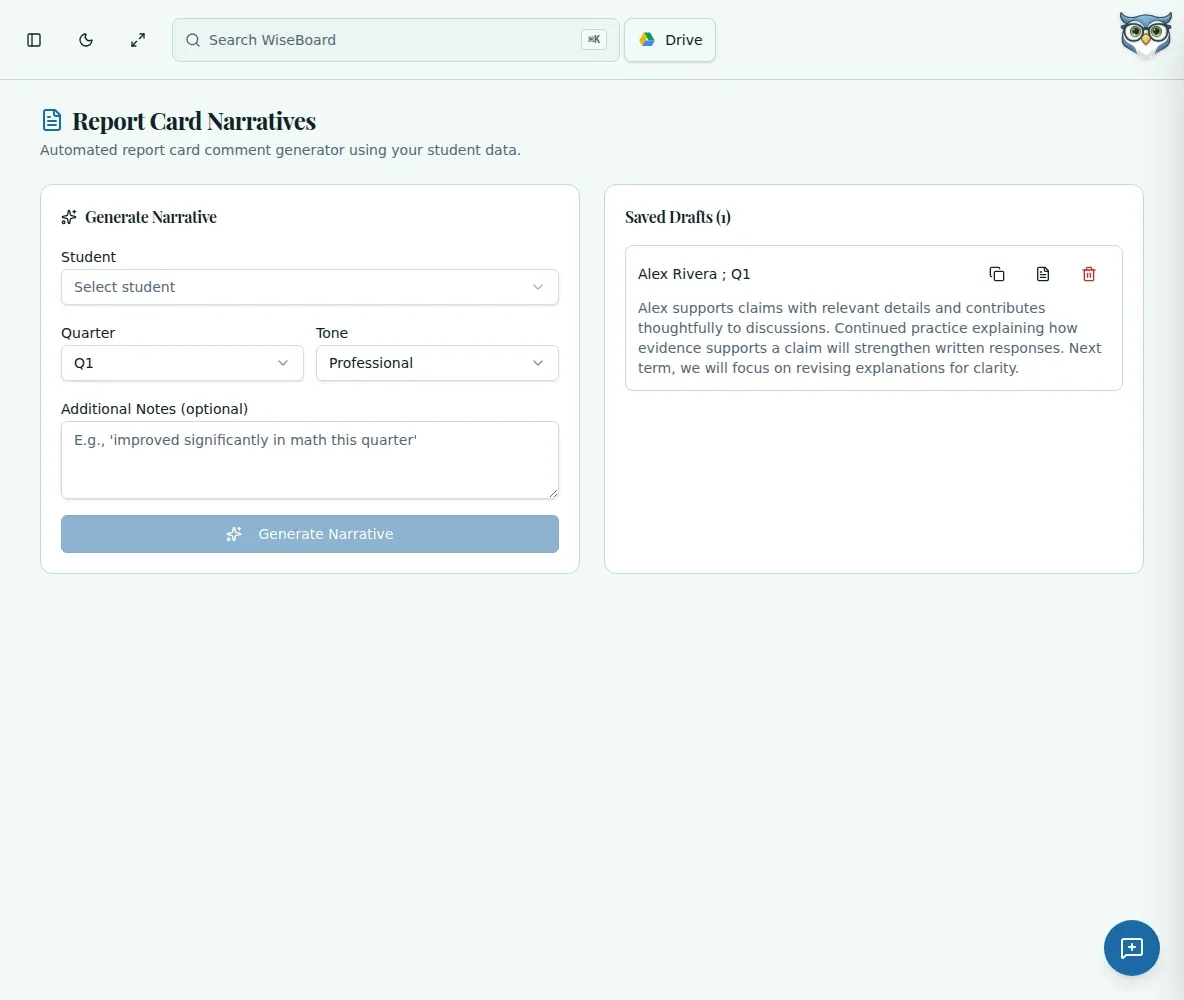
Select a class, student, quarter and tone, then add notes that matter to the report.
Assessment and reporting
A useful report comment needs to sound like you and reflect the student in front of you. WiseBoard can draft a narrative from available records and your notes, while review and final wording stay with you.
See the workspace before you sign in.
01 / THE DIFFERENCE
Practical tools that leave the decisions with you.
Select a class, student, quarter and tone, then add notes that matter to the report.
Check every statement for accuracy before keeping or using the draft.
Edit, save, copy or delete narratives from Saved Drafts.
02 / IN PRACTICE
A closer look at how this fits into your day.
Explore the interactive app demoSelect the class, student, quarter and tone, and enter any additional notes.
Choose Generate Narrative and compare its statements with the student's records.
Revise the wording, then save or copy the narrative from Saved Drafts as needed.
WHAT THIS COULD LOOK LIKE
For a term comment, add a note about how a student now supports science claims with observations. Check the generated statement against actual assignments, replace broad praise with a specific example, and remove anything the record does not support.
GOOD TO KNOW
A little more detail before you dive in.
No. The workspace lets you draft, save and copy narratives. Use your school's report-card process to submit them.
No. Review every statement for accuracy, privacy and appropriate personalization before copying or using a draft.
YOUR WORKSPACE AWAITS
Explore WiseBoard on your own terms. Take a look around, or start your free trial.