 WiseBoard
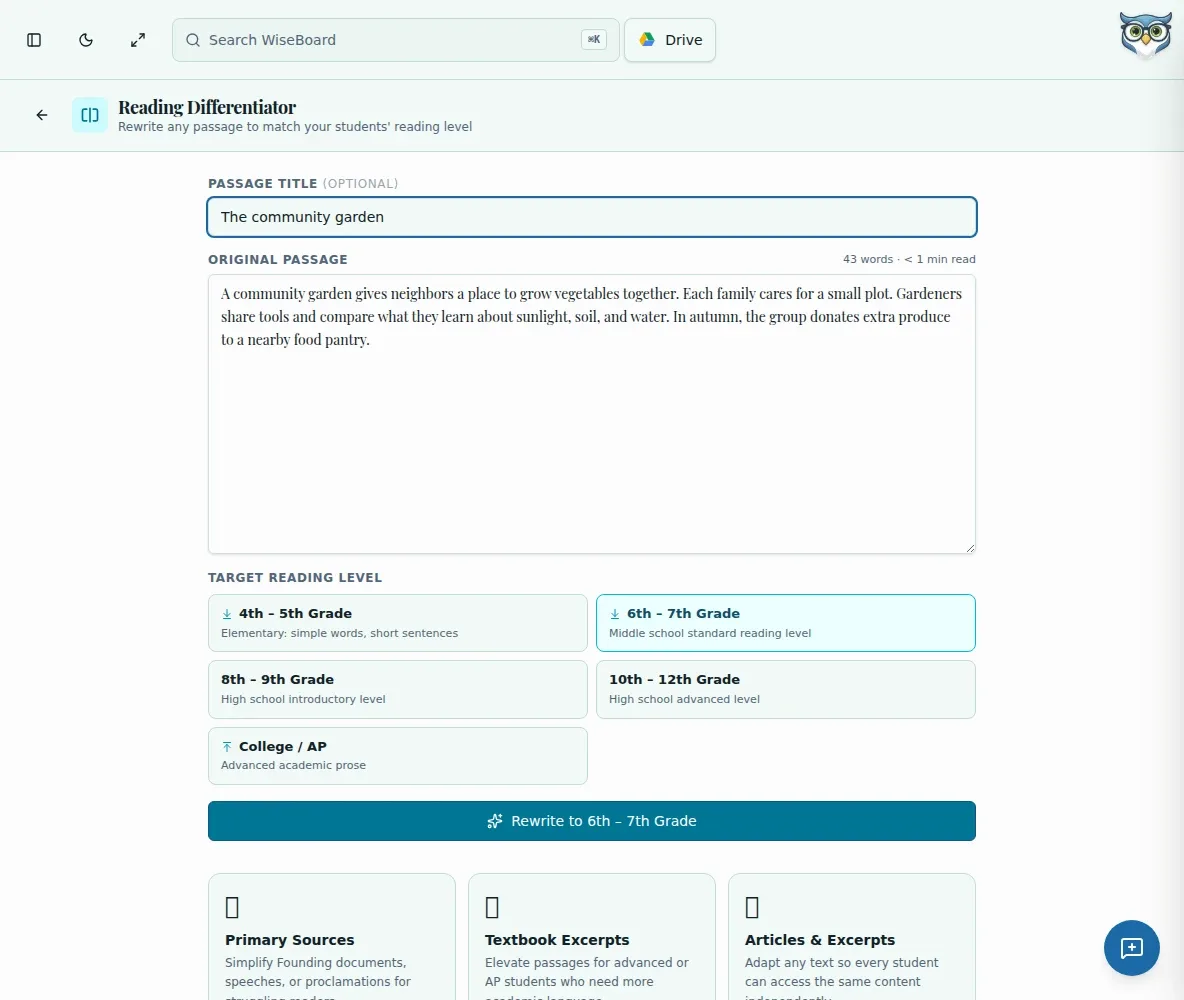
Start with a passage you teach
Provide the original text and an optional title to keep the rewrite grounded in the source.
Reading support
Paste an original passage and choose one target reading level for a rewrite draft. Compare the result with the source, check whether it preserves the ideas students need, and copy or print only after review. A selected target is guidance, not a certified Lexile score.
See the workspace before you sign in.
01 / THE DIFFERENCE
Practical tools that leave the decisions with you.
Provide the original text and an optional title to keep the rewrite grounded in the source.
Choose a target reading level, review it, and repeat for another level if needed.
Inspect both versions before copying or printing the materials for students.
02 / IN PRACTICE
A closer look at how this fits into your day.
Explore the interactive app demoEnter an optional title and the passage you want to adapt.
Select one target reading level and request a rewrite to the displayed level.
Check meaning and suitability against the original, then copy or print the reviewed version.
WHAT THIS COULD LOOK LIKE
Enter the passage students will examine, choose one target level, and compare the draft with the original. Make sure key evidence and names remain accurate before printing the alternate version.
GOOD TO KNOW
A little more detail before you dive in.
No. The target-level selection does not certify a Lexile score for the rewritten text.
The workflow selects one target level at a time. Review that rewrite, then repeat the process for another target if needed.
YOUR WORKSPACE AWAITS
Explore WiseBoard on your own terms. Take a look around, or start your free trial.