 WiseBoard
Keep text and context together
Store the passage, its language, and an optional lesson connection in one record.
Classroom resources
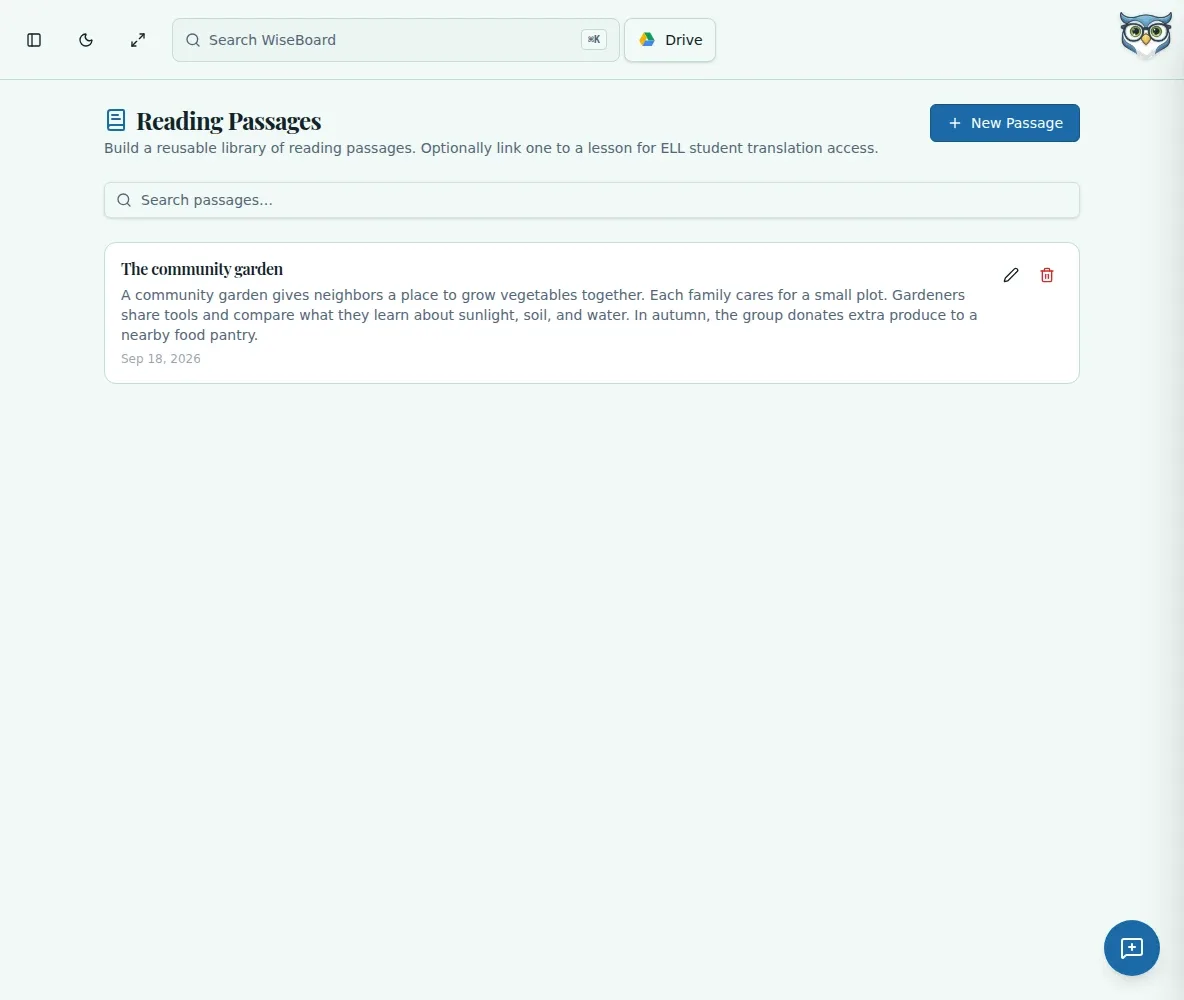
Create a passage record from text you wrote or are permitted to use. Add its title, language, and optional lesson, then return to search or edit it when planning reading practice. The library does not establish copyright clearance or a measured reading level.
See the workspace before you sign in.
01 / THE DIFFERENCE
Practical tools that leave the decisions with you.
Store the passage, its language, and an optional lesson connection in one record.
Search passages and edit or delete a record when your materials change.
Review classroom suitability and ensure you have permission to store and teach the text.
02 / IN PRACTICE
A closer look at how this fits into your day.
Explore the interactive app demoChoose New Passage and enter a title and passage text.
Select a language and optionally link the passage to a lesson, then create it.
Search saved passages and edit or delete them as needed.
WHAT THIS COULD LOOK LIKE
Enter a title and the passage you wrote, choose its language, and link the lesson where students will analyze it. Search for the passage next time and update it if you revise the text.
GOOD TO KNOW
A little more detail before you dive in.
No. Use only text you are permitted to use.
No. The passage library does not provide a measured reading-level certification.
YOUR WORKSPACE AWAITS
Explore WiseBoard on your own terms. Take a look around, or start your free trial.