 WiseBoard
Track the request details
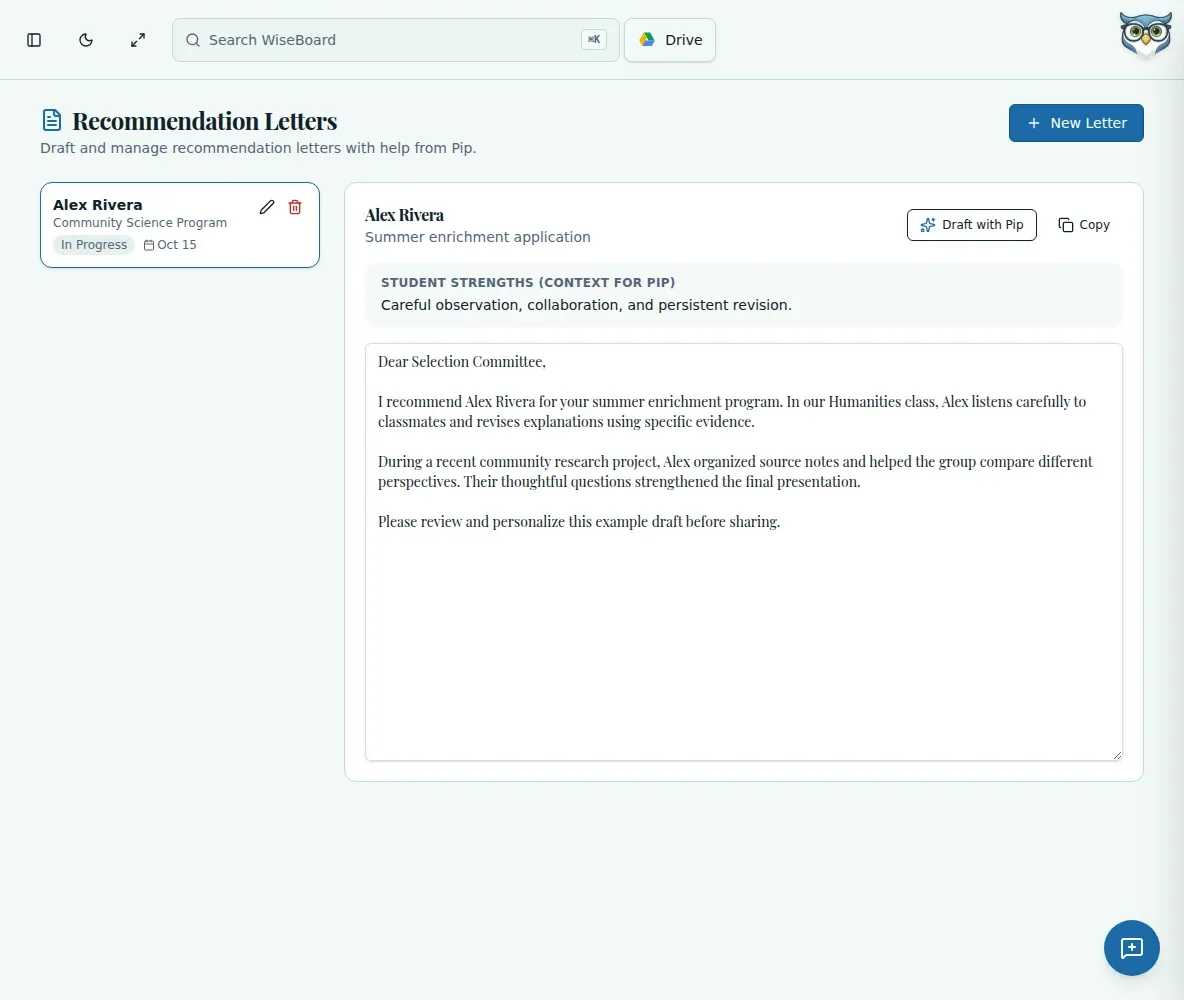
Keep the student, recipient, purpose, due date, status and strengths with the letter record.
Teacher writing tools
A recommendation is most convincing when its examples come from your experience with the student. Keep request details together, ask Pip for an editable first draft and add the evidence only you can provide.
See the workspace before you sign in.
01 / THE DIFFERENCE
Practical tools that leave the decisions with you.
Keep the student, recipient, purpose, due date, status and strengths with the letter record.
Draft with Pip from the information you provide, then personalize the structure and language.
Copy the reviewed letter to your word processor, add letterhead and signature, and submit it yourself.
02 / IN PRACTICE
A closer look at how this fits into your day.
Explore the interactive app demoEnter the recipient, purpose, due date, student and strengths.
Select the saved record, choose Draft with Pip and read the entire letter.
Add specific anecdotes, move the reviewed text to your word processor, sign and submit.
WHAT THIS COULD LOOK LIKE
Enter the program's purpose and deadline along with strengths you can support. After drafting, replace generic claims with an example of how the student revised a lab investigation or supported a teammate, then proofread and submit through the program's process.
GOOD TO KNOW
A little more detail before you dive in.
No. The draft is based on details you provide. Add your own accurate examples, then submit the finished letter yourself.
Review the entire letter and add specific, firsthand details before use. A draft may not reflect what you know about the student.
YOUR WORKSPACE AWAITS
Explore WiseBoard on your own terms. Take a look around, or start your free trial.