 WiseBoard
Start with your criteria
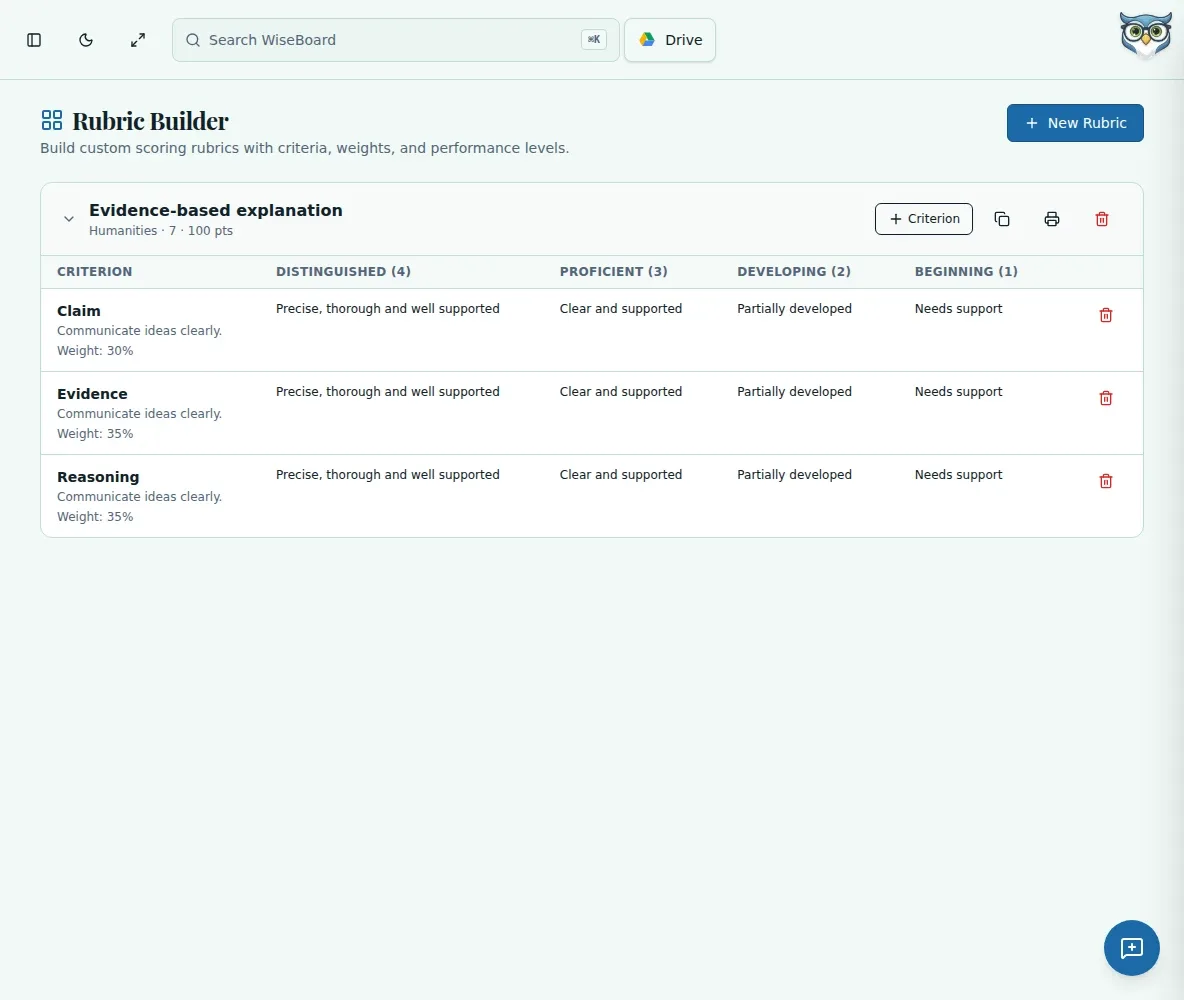
Give each part of the assignment a name and a weight, so students can see what matters most.
Assessment tools
Need a rubric for an essay, presentation or project? Define the criteria for that assignment, weight them, write descriptors across four performance levels and save the rubric to use again.
See the workspace before you sign in.
01 / THE DIFFERENCE
Practical tools that leave the decisions with you.
Give each part of the assignment a name and a weight, so students can see what matters most.
Write what performance looks like at each of four levels instead of relying on a score alone.
Save a rubric to reuse or print a copy when you need one at your desk.
02 / IN PRACTICE
A closer look at how this fits into your day.
Explore the interactive app demoName the rubric and add the subject, grade and points for your assignment.
Add weighted criteria and write descriptors that fit your students' work.
Check the finished rubric, then save it or print from your browser.
WHAT THIS COULD LOOK LIKE
Create separate criteria for evidence, organization and clarity. Give evidence more weight if the task is about supporting a claim. Describe what evidence looks like at each level before students draft; revise those descriptors to fit your assignment.
GOOD TO KNOW
A little more detail before you dive in.
Yes. Teachers can add custom criteria, weights and descriptors. The builder uses four performance levels.
Yes. Use your browser's print controls after reviewing the rubric.
Saved rubrics can be revisited and edited. Check the criteria and weights against the new assignment before using one again.
YOUR WORKSPACE AWAITS
Explore WiseBoard on your own terms. Take a look around, or start your free trial.