 WiseBoard
Choose a playlist for the activity
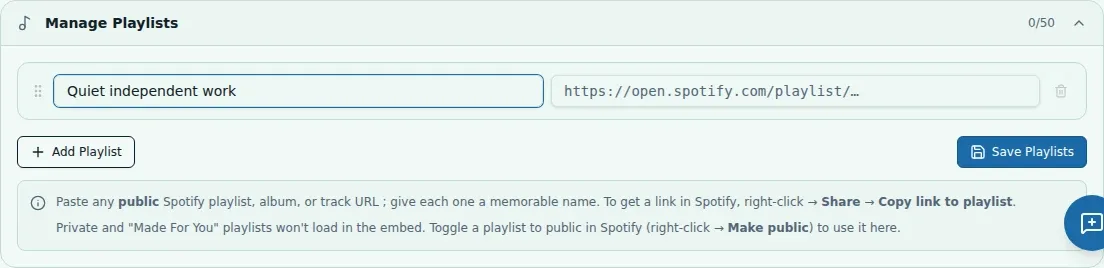
Select an available classroom playlist or add a Spotify playlist link.
Classroom tools
A quiet work block may call for a different sound than a transition. Focus Music provides controls for an available Spotify playlist connection or playlist link, while playback depends on Spotify and your connection.
See the workspace before you sign in.
01 / THE DIFFERENCE
Practical tools that leave the decisions with you.
Select an available classroom playlist or add a Spotify playlist link.
Start playback or follow an external link using the options shown.
Confirm the music plays and the volume is appropriate before students begin.
02 / IN PRACTICE
A closer look at how this fits into your day.
Explore the interactive app demoGo to the Focus Music page.
Add or choose an available Spotify playlist link.
Use the displayed controls and confirm playback and volume in Spotify.
WHAT THIS COULD LOOK LIKE
Choose a playlist suitable for independent writing, start it before students settle in and check the volume in Spotify. Follow school policy for music and confirm that the playlist content is appropriate for the class.
GOOD TO KNOW
A little more detail before you dive in.
No. Playlist availability and playback depend on Spotify and your connection. Confirm playback in the Spotify experience.
You are responsible for playlist content, school policy and any Spotify account requirements.
YOUR WORKSPACE AWAITS
Explore WiseBoard on your own terms. Take a look around, or start your free trial.