 WiseBoard
Check candidates against your lesson
Review suggested standards codes and explanations alongside the activity you actually plan to teach.
Planning and curriculum
A lesson can touch a standard without fully teaching it. Standards Checker suggests possible alignments from your description so you can compare the evidence, notice gaps and make the final instructional call.
See the workspace before you sign in.
01 / THE DIFFERENCE
Practical tools that leave the decisions with you.
Review suggested standards codes and explanations alongside the activity you actually plan to teach.
Use the analysis as a prompt to revisit parts of a lesson that may need stronger coverage.
The checker offers candidate alignments for verification; it does not certify standards coverage.
02 / IN PRACTICE
A closer look at how this fits into your day.
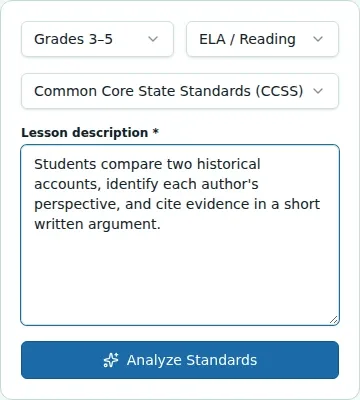
Explore the interactive app demoChoose the grade, subject and standards framework shown in the checker.
Paste the lesson, activity or assignment description and choose Analyze.
Read each code and explanation, note any gaps, revise if needed and copy the codes for documentation.
03 / A CLOSER LOOK
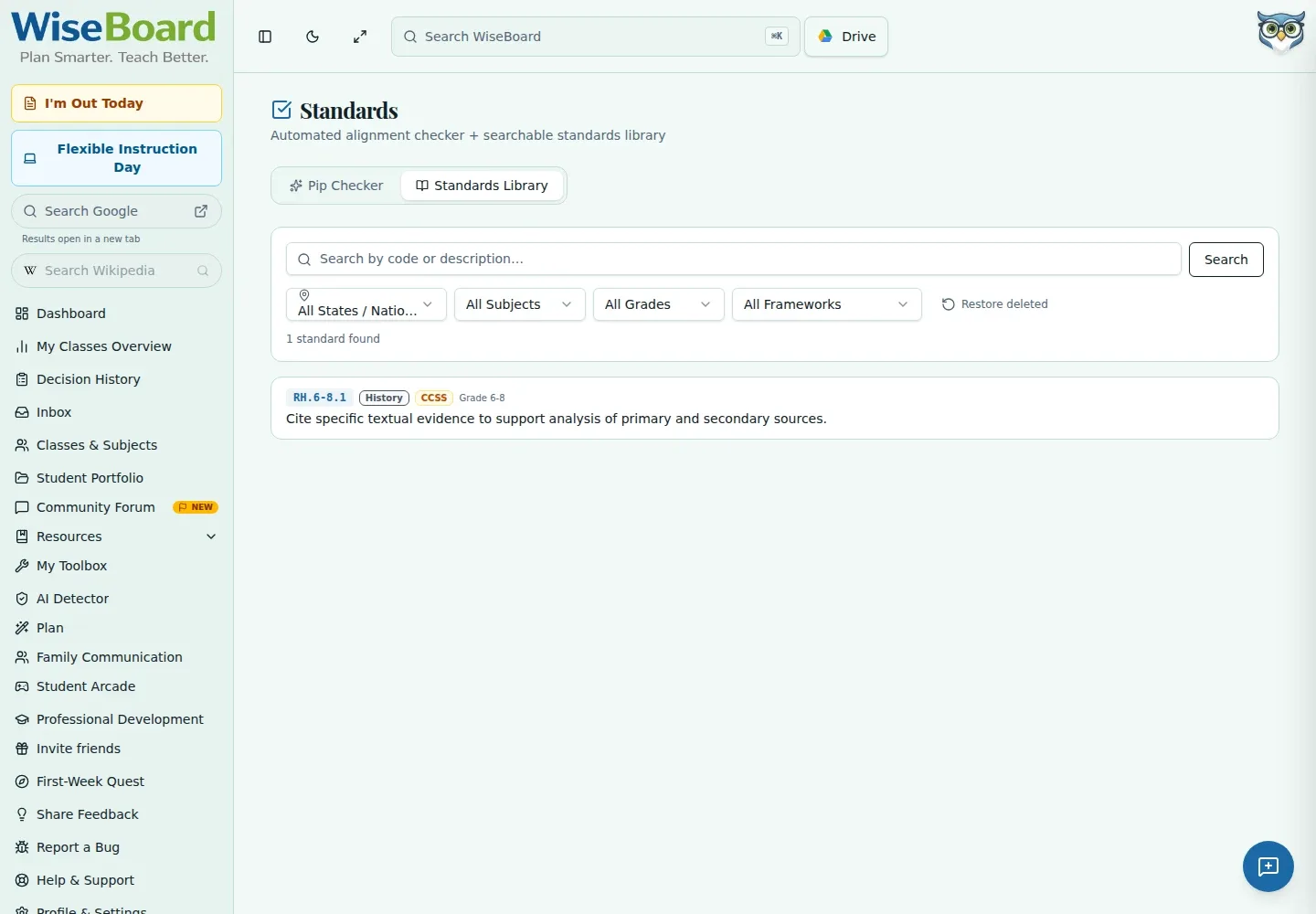
Related workflow view. This is not another screen of the primary feature.
WHAT THIS COULD LOOK LIKE
Paste the task students will complete with a primary source, select the appropriate grade and framework, then compare each suggested code with the actual student work. If the lesson does not ask students to support an interpretation with evidence, revise the task rather than treating a suggested match as proof.
GOOD TO KNOW
A little more detail before you dive in.
No. The results are possible alignments based on your description. Compare the standard with the lesson and student task before deciding.
You can copy displayed standards codes after reviewing them. Verify each code and explanation against the framework you use.
YOUR WORKSPACE AWAITS
Explore WiseBoard on your own terms. Take a look around, or start your free trial.