 WiseBoard
Map to the topic you are teaching
Name the lesson or unit before selecting relevant standards from C3 dimensions.
Curriculum alignment
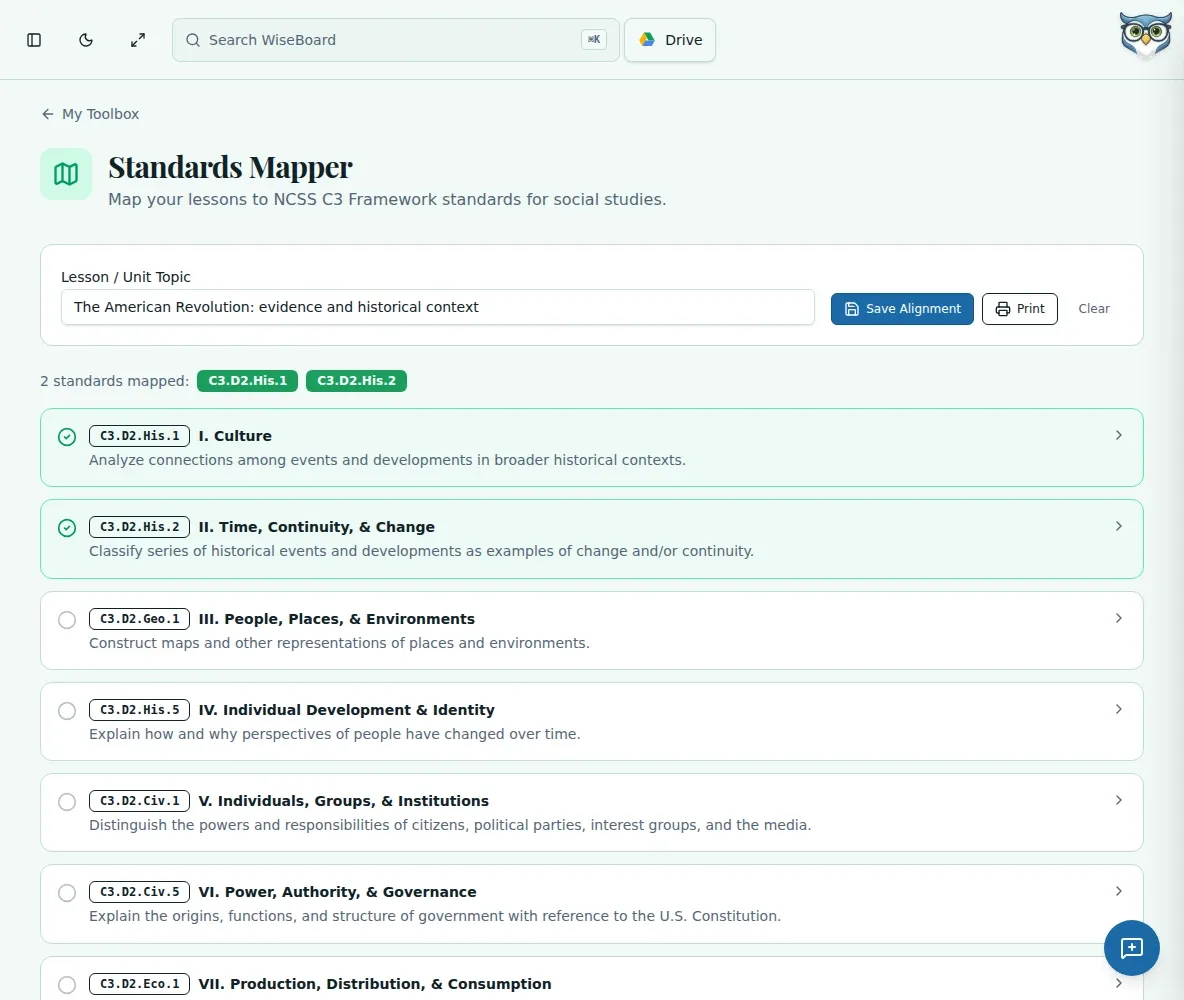
Use the Standards Mapper to connect a lesson or unit topic to NCSS C3 social-studies standards. Select the standards that fit, add your connection notes, and save the reviewed mapping in this browser or print it for planning.
See the workspace before you sign in.
01 / THE DIFFERENCE
Practical tools that leave the decisions with you.
Name the lesson or unit before selecting relevant standards from C3 dimensions.
Add connection notes that explain how the chosen standards relate to instruction.
Keep mappings in the current browser or print a copy after review.
02 / IN PRACTICE
A closer look at how this fits into your day.
Explore the interactive app demoOpen Standards Mapper and name the lesson or unit topic.
Expand a C3 dimension, choose relevant standards, and add connection notes.
Check the mapping, then save it in this browser or print it.
WHAT THIS COULD LOOK LIKE
Enter the inquiry topic, expand the relevant C3 dimensions, and select standards that match the evidence students will use. Add a note explaining the connection, then save the mapping in this browser for planning.
GOOD TO KNOW
A little more detail before you dive in.
No. The tool creates a manual mapping and does not automatically tag lessons.
Saved mappings remain in the current browser's local storage, not as an account-synchronized record.
YOUR WORKSPACE AWAITS
Explore WiseBoard on your own terms. Take a look around, or start your free trial.