 WiseBoard
Record a level with its context
Add a standard code, description and mastery level for a selected student in a class.
Standards-based assessment
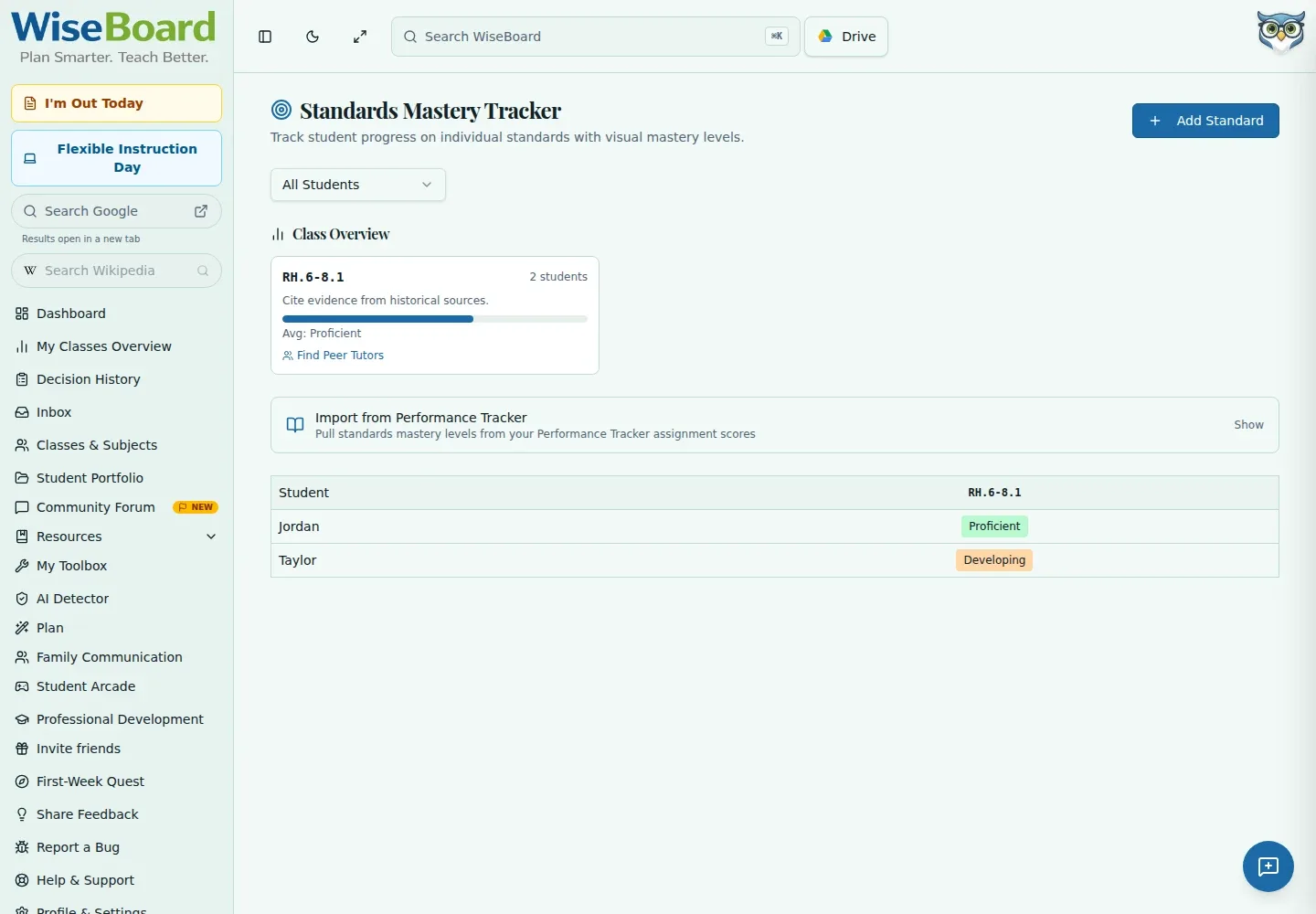
For standards-based grading, a class average may not show which skill needs another look. Standards Mastery lets you record a student's level against a standard and review those saved levels in class or student views.
See the workspace before you sign in.
01 / THE DIFFERENCE
Practical tools that leave the decisions with you.
Add a standard code, description and mastery level for a selected student in a class.
Choose a class and optionally filter the view to an individual student.
Change a mastery cell yourself; review any Arcade evidence before explicitly promoting it.
02 / IN PRACTICE
A closer look at how this fits into your day.
Explore the interactive app demoChoose Standards Mastery Tracker from the in-app navigation.
Choose a class and optionally narrow the view to one student.
Choose Add Standard, enter its code, description and mastery level for a student, then save and review the class overview.
03 / A CLOSER LOOK
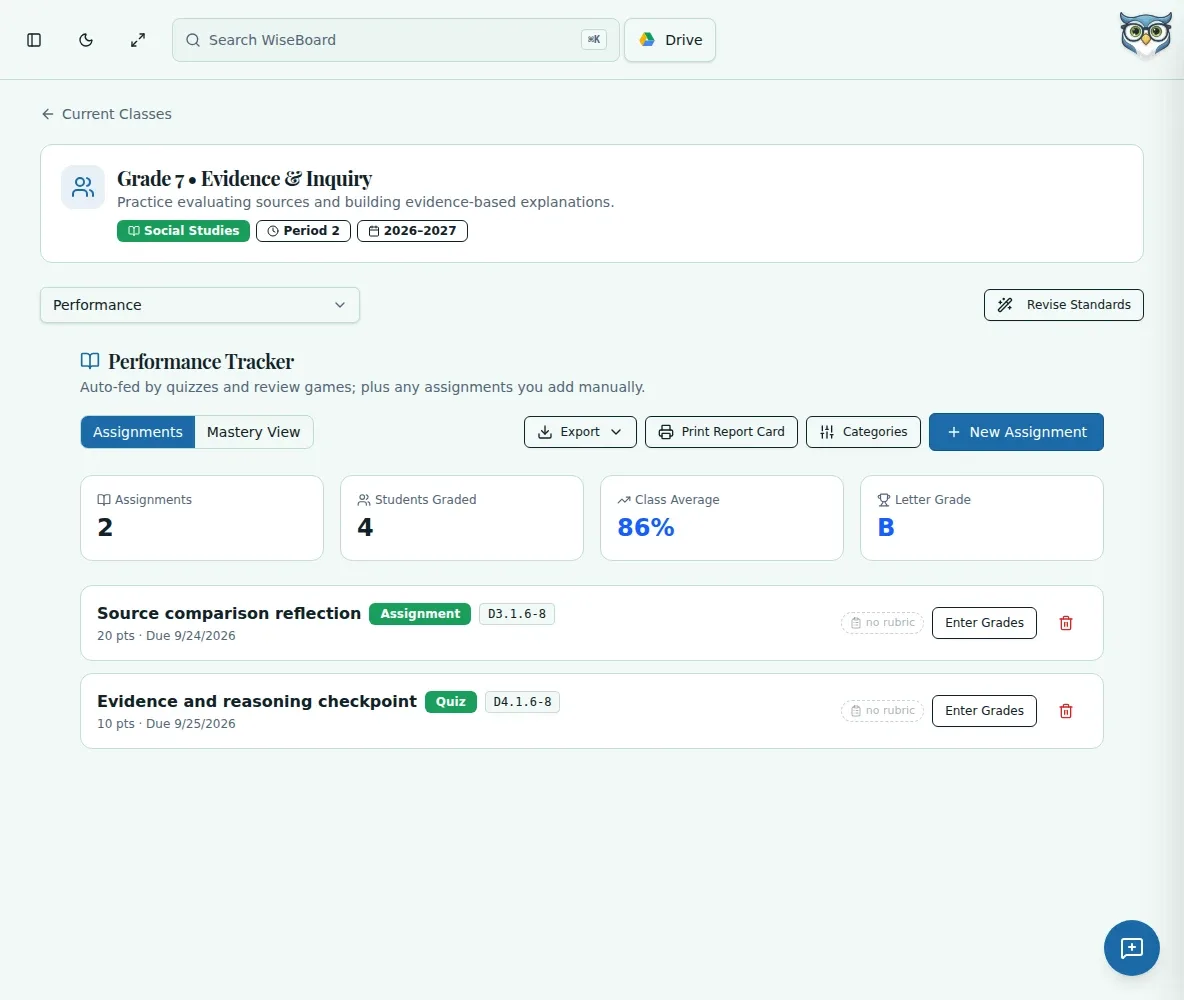
Related workflow view. This is not another screen of the primary feature.
WHAT THIS COULD LOOK LIKE
Review the class overview to find a standard many students are still approaching. Check the saved entries and work you have seen in class, then decide whether a reteach belongs in the next lesson.
GOOD TO KNOW
A little more detail before you dive in.
No. Review available Arcade evidence before explicitly promoting a level. Arcade promotion cannot overwrite teacher-entered mastery.
Yes. Select a class and optionally filter to one student.
YOUR WORKSPACE AWAITS
Explore WiseBoard on your own terms. Take a look around, or start your free trial.