 WiseBoard
Start from your classroom context
Provide the class and lesson details requested by the page.
Planning and organization
A substitute needs practical instructions, not a vague outline. Use Sub Plan to draft from the class and lesson context you provide, then check every detail before printing or distributing the packet.
See the workspace before you sign in.
01 / THE DIFFERENCE
Practical tools that leave the decisions with you.
Provide the class and lesson details requested by the page.
Review names, instructions, materials, safety information and class details yourself.
Use the print preview and your approved distribution process; Pip does not contact a substitute.
02 / IN PRACTICE
A closer look at how this fits into your day.
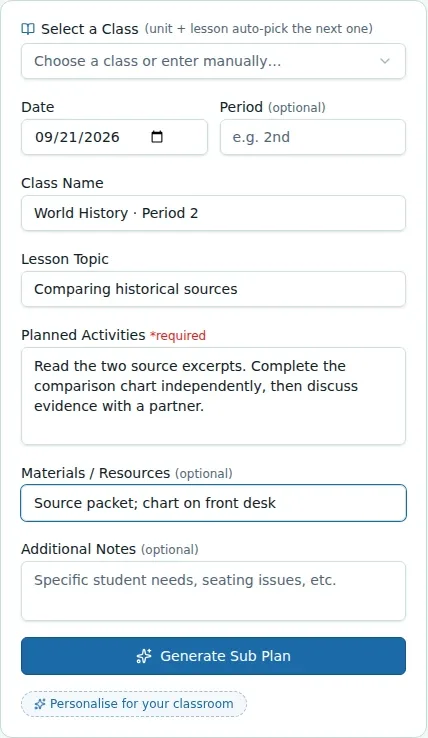
Explore the interactive app demoOpen Sub Plan and enter the class and lesson information requested.
Check the instructions, names, materials, safety details and any class-specific information.
Review the print preview, use the available print action and distribute the finalized plan through your normal process.
WHAT THIS COULD LOOK LIKE
Provide the class and lesson context, then check that the draft lists the right materials and safe steps for the activity. Confirm procedures and emergency notes against your class's Sub Info before printing the packet for your school's substitute handoff.
GOOD TO KNOW
A little more detail before you dive in.
No. Review and print the plan, then distribute it through your normal approved process.
No. Review instructions, names, materials, safety information and class details before printing or distributing.
YOUR WORKSPACE AWAITS
Explore WiseBoard on your own terms. Take a look around, or start your free trial.