 WiseBoard
Start with subject organization
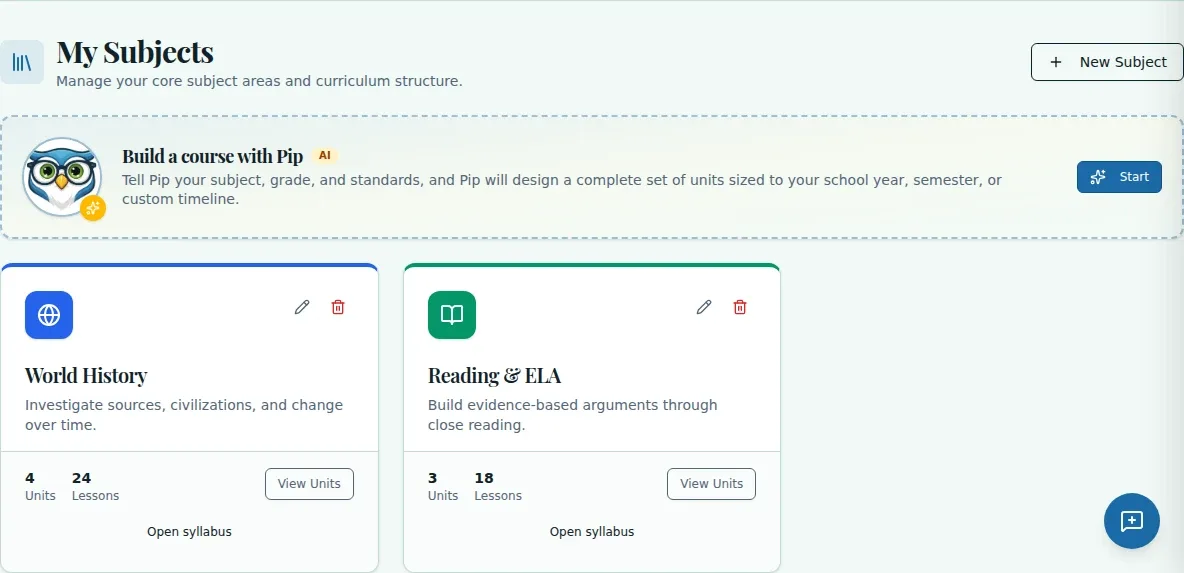
Create a subject using the fields and controls currently shown on the Classes page.
Curriculum planning
Before you map a unit or open a lesson, organize the subjects you teach. Manage Subjects is part of the Classes workflow and gives your curriculum a subject-level home.
See the workspace before you sign in.
01 / THE DIFFERENCE
Practical tools that leave the decisions with you.
Create a subject using the fields and controls currently shown on the Classes page.
Use the subject as the place to open the units and lessons you create.
Follow the labels shown on the Classes page rather than assuming an older workflow.
02 / IN PRACTICE
A closer look at how this fits into your day.
Explore the interactive app demoGo to Classes from the in-app navigation.
Use the available subject control and complete the fields it displays.
Return to the Classes page and choose the subject to work with its units and lessons.
WHAT THIS COULD LOOK LIKE
Add the elective through the subject control on the Classes page, following the fields shown. Open the saved subject afterward and use it as the home for the units and lessons you build for the course.
GOOD TO KNOW
A little more detail before you dive in.
Open Classes and use the subject controls displayed on that page.
Open a subject from Classes to work with its units and lessons.
YOUR WORKSPACE AWAITS
Explore WiseBoard on your own terms. Take a look around, or start your free trial.