 WiseBoard
Look for an answer in context
Use available help content without losing your place in WiseBoard.
Teacher help
Open Support to see the help options currently available to your account. Search or browse help content when those controls are present, ask the support assistant, and use its escalation option when needed. You can also create a ticket and return to review replies.
See the workspace before you sign in.
01 / THE DIFFERENCE
Practical tools that leave the decisions with you.
Use available help content without losing your place in WiseBoard.
Use the support assistant and its escalation option, or create a new ticket when appropriate.
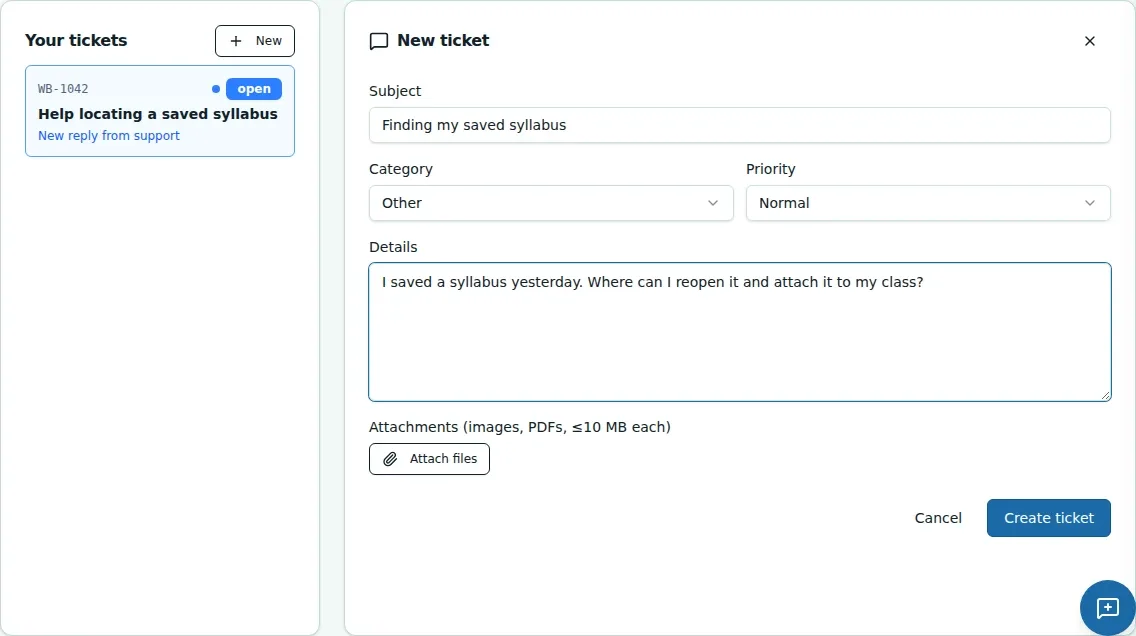
Review existing tickets and replies from the support area.
02 / IN PRACTICE
A closer look at how this fits into your day.
Explore the interactive app demoChoose Support from the in-app navigation and review the help options shown.
Search or browse when available, ask the support assistant, and use its escalation option if needed.
Enter issue details, attach only appropriate files, create the ticket, and return to review replies.
WHAT THIS COULD LOOK LIKE
Open Support and check available help first. If the issue needs a ticket, describe what happened without student-sensitive details, attach only appropriate files, create the ticket, and return to review any reply.
GOOD TO KNOW
A little more detail before you dive in.
The guide does not promise a particular response time. Review your ticket and replies in the Support Portal.
Remove sensitive student details from messages and attachments. Include only files appropriate for the support request.
YOUR WORKSPACE AWAITS
Explore WiseBoard on your own terms. Take a look around, or start your free trial.