 WiseBoard
Start with prepared review questions
Select a WiseUp quiz or use the available Pip launcher before starting the game.
Competitive review
Survivor is a teacher-launched review format where students answer questions across rounds and use the game's social strategy. Prepare the question set first, then launch the game and facilitate from its teacher screen.
See the workspace before you sign in.
01 / THE DIFFERENCE
Practical tools that leave the decisions with you.
Select a WiseUp quiz or use the available Pip launcher before starting the game.
Use the Survivor rounds and visible game controls to make review feel like a shared event.
Treat game results as context for review, not as the sole measure of what students know.
02 / IN PRACTICE
A closer look at how this fits into your day.
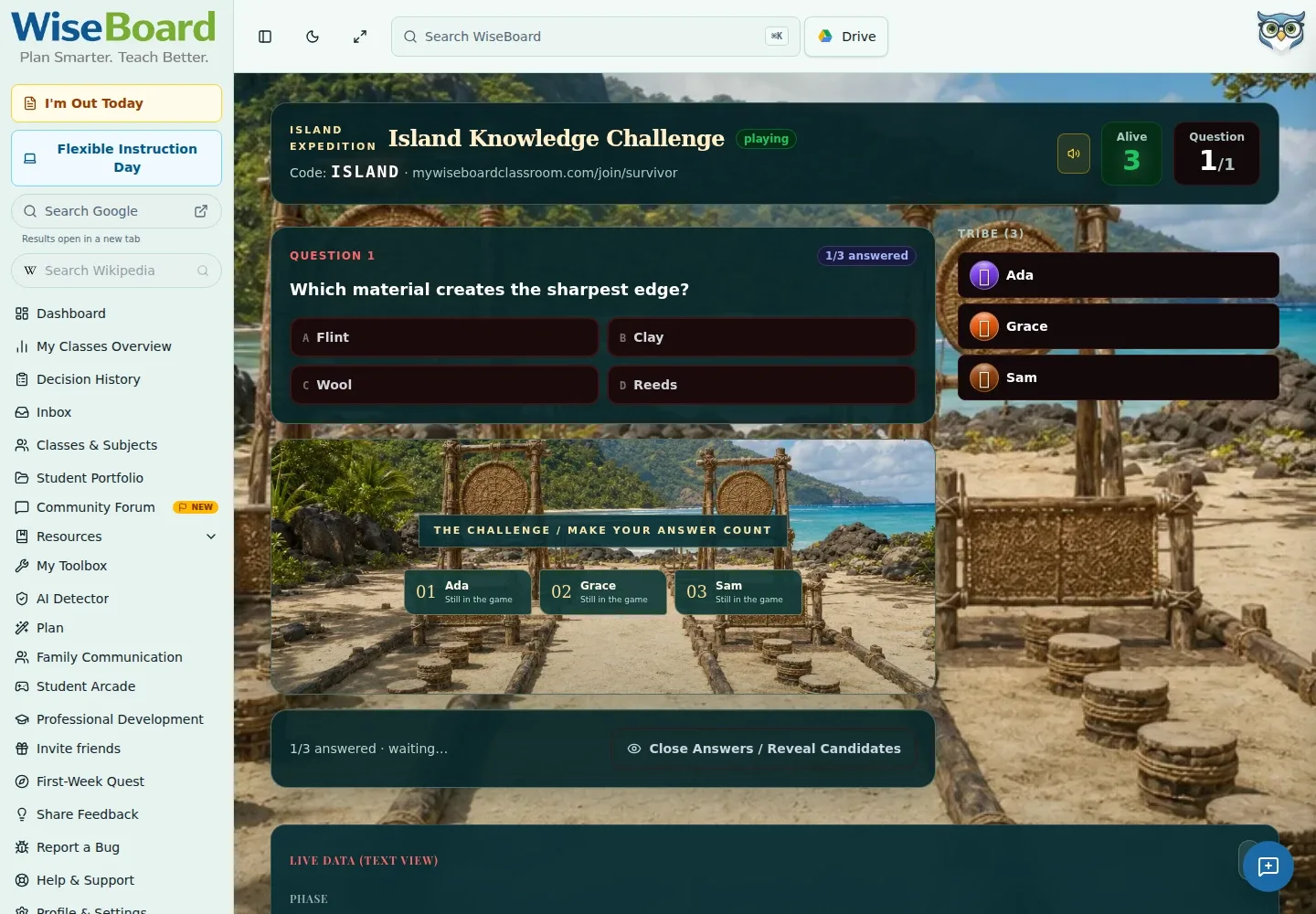
Explore the interactive app demoOpen Survivor, select a WiseUp quiz or use the available Pip launcher, then choose Launch Survivor.
Share the QR code, room code or displayed join URL from the teacher game route.
Use the controls and results shown in the game to run the activity with your class.
WHAT THIS COULD LOOK LIKE
Choose questions that check the unit's central concepts, launch Survivor and share the game details. Facilitate the rounds, then use the responses to decide which concepts deserve more discussion.
GOOD TO KNOW
A little more detail before you dive in.
The documented flow starts with a WiseUp quiz or the available Pip launcher, then launches Survivor.
No. The separate solo Two-Minute Drill is an Arcade experience and does not require teacher setup.
YOUR WORKSPACE AWAITS
Explore WiseBoard on your own terms. Take a look around, or start your free trial.