 WiseBoard
Start from course material
Ask Pip to draft sections using your existing units and lesson information.
Curriculum planning
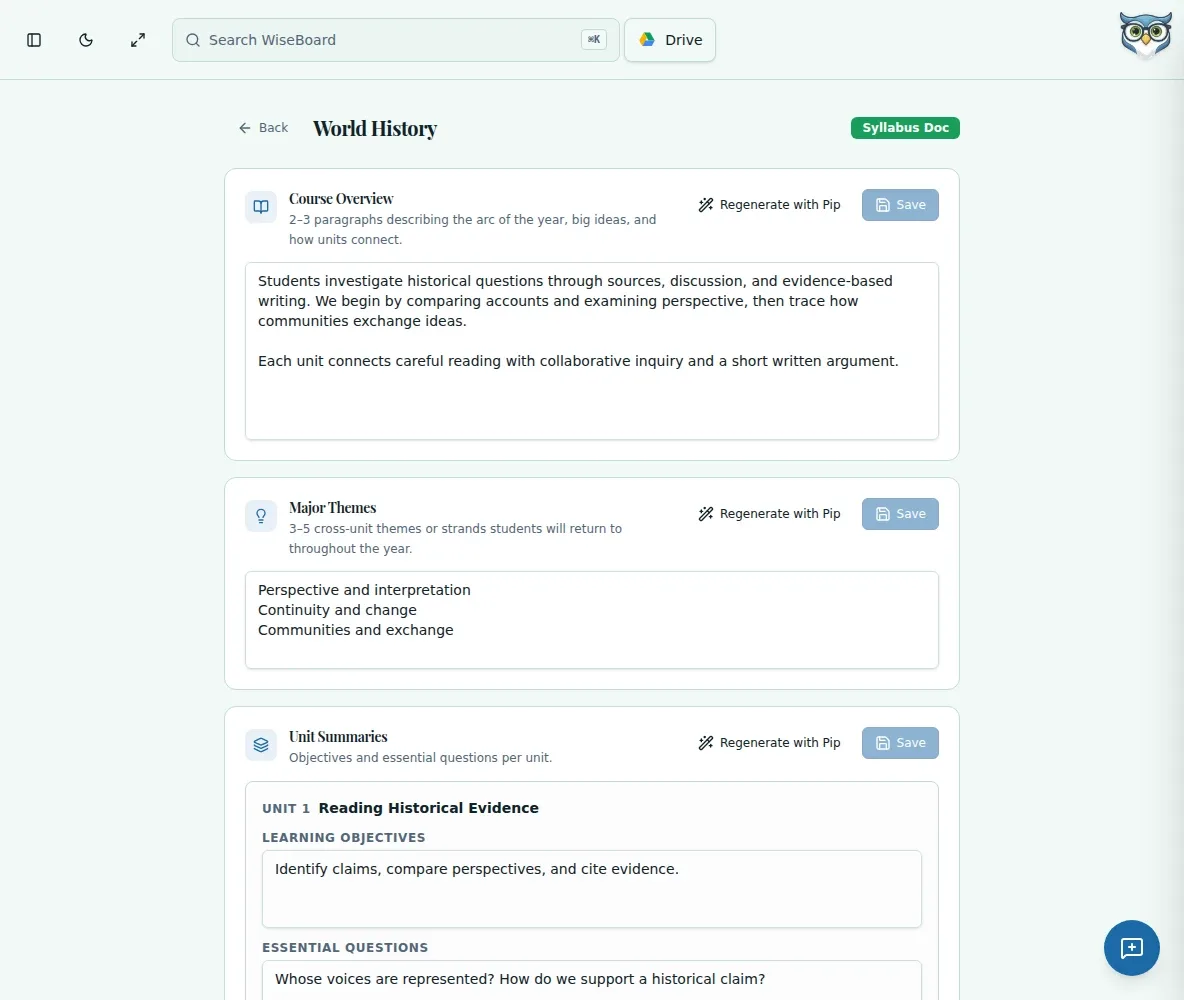
A syllabus needs to reflect the course you actually teach. Syllabus Doc Editor can draft sections from existing unit and lesson data, then lets you revise and save each section without regenerating the entire document.
See the workspace before you sign in.
01 / THE DIFFERENCE
Practical tools that leave the decisions with you.
Ask Pip to draft sections using your existing units and lesson information.
Regenerate Course Overview, Unit Summaries, Assessment Notes or Major Themes separately.
Edit each section and use its Save control; regeneration is an explicit teacher action.
02 / IN PRACTICE
A closer look at how this fits into your day.
Explore the interactive app demoOpen a syllabus from its class or subject page and choose the Doc tab.
Use Regenerate with Pip on a section, then check it against your course materials.
Revise the text fields and choose that section's Save control; regenerate only what needs work.
WHAT THIS COULD LOOK LIKE
Review the source units and lessons, regenerate Course Overview if useful, then edit the draft to explain your teaching approach and what students will investigate. Save that section after checking it, and leave the other sections unchanged if they already fit.
GOOD TO KNOW
A little more detail before you dive in.
The editor does not provide a Print / Share control or automatic parent-portal delivery. Use the available section controls and your school's sharing process.
No. There is no three-unit minimum. Review your source units and lessons before requesting a draft.
YOUR WORKSPACE AWAITS
Explore WiseBoard on your own terms. Take a look around, or start your free trial.