 WiseBoard
Learn by opening a feature
Use each step's link to reach the tool and carry out its described action.
Getting started
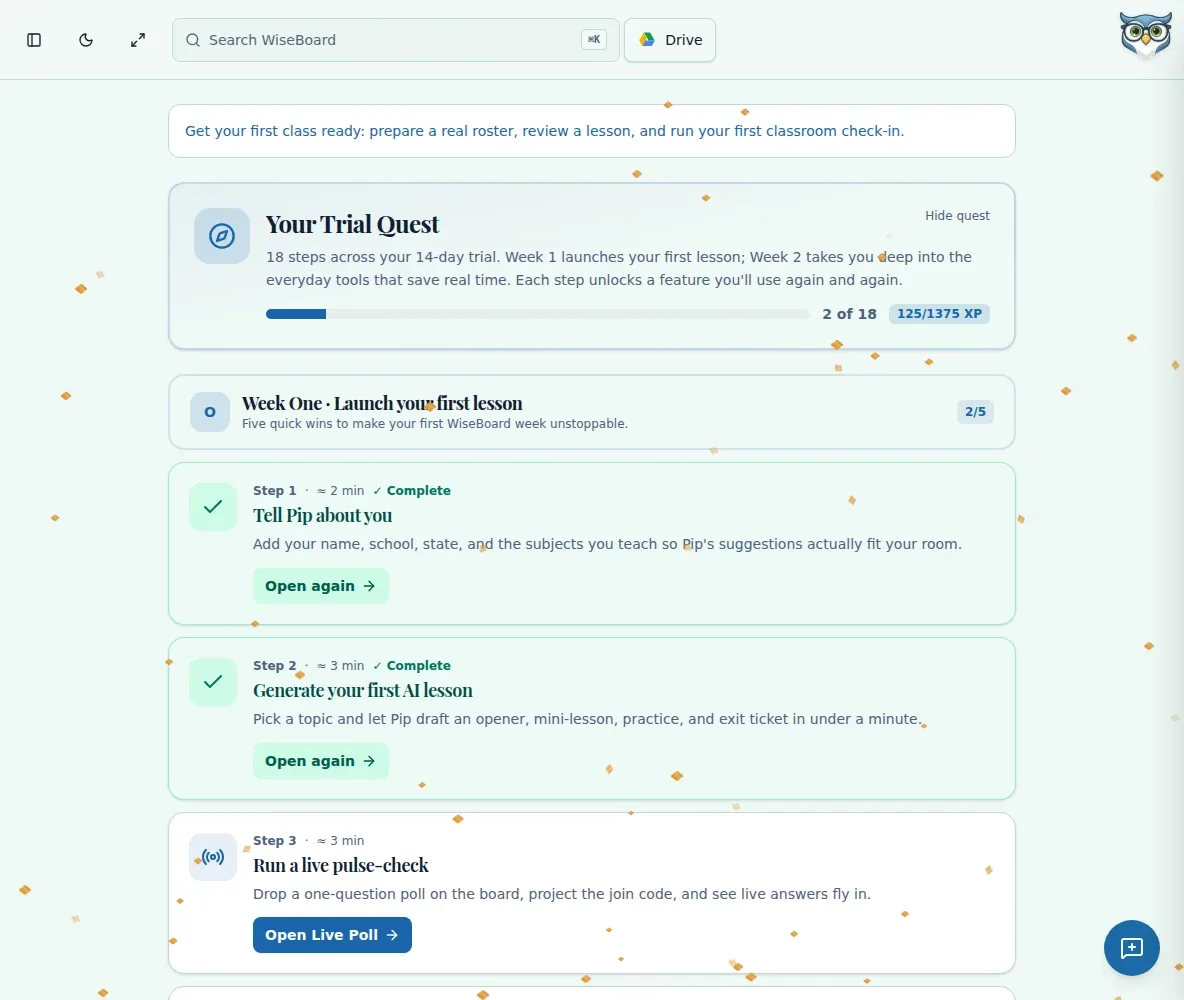
Getting oriented is easier when you can connect a short task with the feature it introduces. Trial Quest links onboarding steps to WiseBoard tools and shows recorded progress as you work through them.
See the workspace before you sign in.
01 / THE DIFFERENCE
Practical tools that leave the decisions with you.
Use each step's link to reach the tool and carry out its described action.
Return to the quest to check the completion and XP shown for your account.
Use the step links to revisit features; completing the quest is not proof of mastery.
02 / IN PRACTICE
A closer look at how this fits into your day.
Explore the interactive app demoVisit the onboarding quest at /first-week-quest and review its steps.
Follow a step's feature link and complete the described action.
Check recorded completion and XP; the page has no manual Mark Complete control.
WHAT THIS COULD LOOK LIKE
Open the quest, follow a step into the relevant class workflow and complete the action it describes. Return to review the progress recorded for your account, then choose another step when you have time.
GOOD TO KNOW
A little more detail before you dive in.
No. Trial Quest is a teacher onboarding page at /first-week-quest and is separate from student Arcade quests.
No. Completion and XP are recorded from progress; there is no manual Mark Complete control on the quest page.
YOUR WORKSPACE AWAITS
Explore WiseBoard on your own terms. Take a look around, or start your free trial.