 WiseBoard
See available signals together
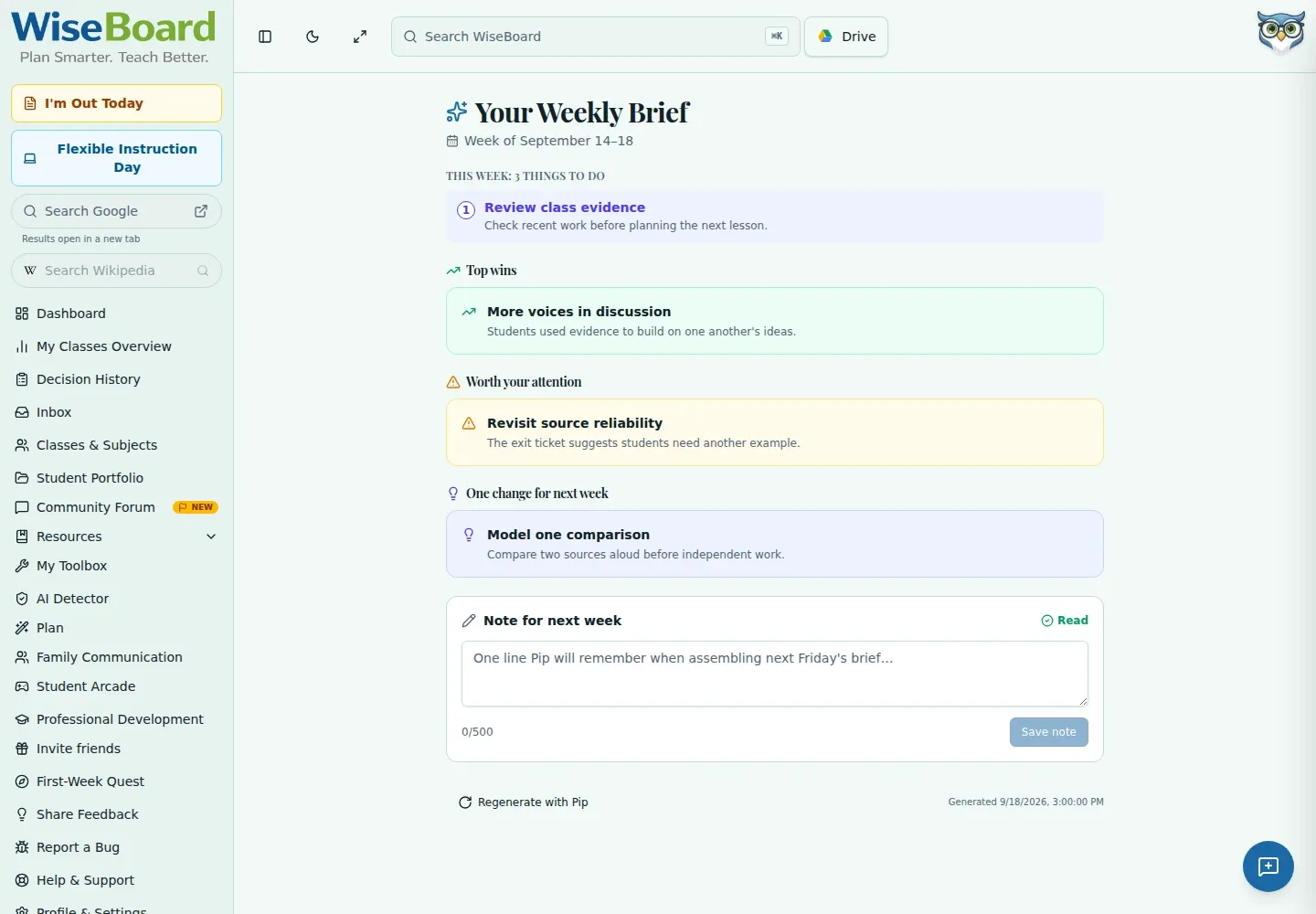
Review sections such as Top wins, Worth your attention, suggestions, Weekend outreach, and Spiral Signal.
Teacher planning
Weekly Brief brings available teaching signals together for your review, including wins, concerns, suggestions, outreach context, and spiral signals. Check the evidence and generated timestamp for each section before following an available action; this is not a complete calendar or automatic task carry-over.
See the workspace before you sign in.
01 / THE DIFFERENCE
Practical tools that leave the decisions with you.
Review sections such as Top wins, Worth your attention, suggestions, Weekend outreach, and Spiral Signal.
Use the displayed evidence and generated timestamp to judge whether a signal is relevant now.
Follow an available action only after review, and refresh when you need to request updated information.
02 / IN PRACTICE
A closer look at how this fits into your day.
Explore the interactive app demoGo to Weekly Brief at the start of the week.
Read each displayed signal and inspect its evidence and generation context.
Use an available action if it fits, refresh when needed, and review any unavailable or error state.
WHAT THIS COULD LOOK LIKE
Check a Worth your attention item against its source evidence and timestamp, then decide whether it calls for a conversation or a lesson adjustment. Refresh if the source needs updating; do not assume tasks carry over automatically.
GOOD TO KNOW
A little more detail before you dive in.
No. It is not a complete calendar and does not automatically carry tasks over.
No. Review the evidence and generation time, then decide whether an available action fits your classroom.
YOUR WORKSPACE AWAITS
Explore WiseBoard on your own terms. Take a look around, or start your free trial.